Google’s Review Policy Explained: What Businesses Need to Know
Google reviews can make or break a local business, so it pays to know the rules. Google is happy for you to ask customers for reviews, but it is strict about how you do it, and getting it wrong can cost you reviews you have worked hard for. This guide explains Google’s review policy in plain English: what is allowed, what is banned, what happens if you break the rules and how to deal with reviews that break them.
You can ask any customer for a Google review. You cannot pay or reward them for it, ask only the happy ones, pressure them, tell them what to write, review your own business or let anyone with a conflict of interest do so. Break the rules and Google can remove reviews, stop you receiving new ones and display a warning on your profile.
This guide summarises Google’s published policies as of October 2026. Google can update them at any time, so always check the latest version on Google’s own help pages. It is general guidance, not legal advice.
Where Google’s review rules live
Google reviews are part of Google Maps, so they are covered by the Maps User Contributed Content Policy. Its “Prohibited and restricted content” section applies to every review, rating, photo and video posted about a business. Google’s Business Profile help pages then explain how those rules apply to business owners, including the restrictions it can place on profiles.
The principle behind all of it is simple. Google says contributions to Maps should reflect a genuine experience, and a review should be genuine and unbiased.
What Google allows
Google actively encourages businesses to collect reviews. In its own words, merchants can solicit or encourage reviews that represent a genuine experience, as long as they do not offer incentives or try to influence the rating or what the review says. In practice, that means you can:
- Ask every customer for a review after a genuine experience with your business.
- Share your review link or QR code on receipts, in thank you emails, at the end of a chat or on a sign in store. Google suggests all of these. Our guide shows you how to get your Google review link.
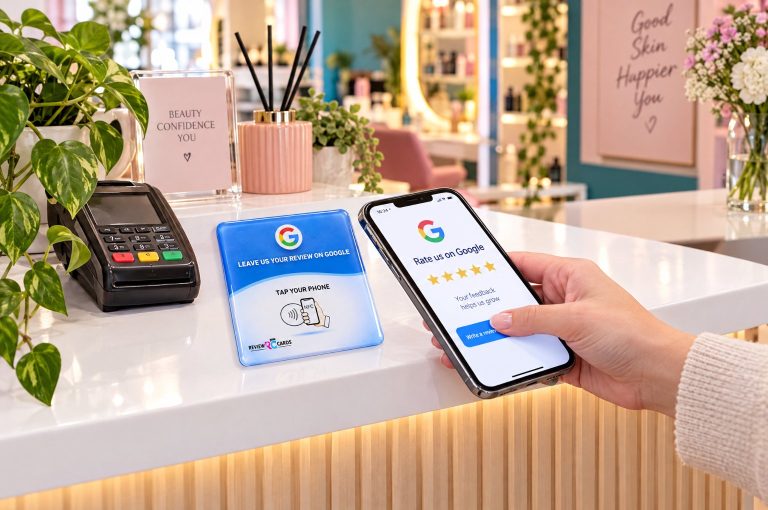
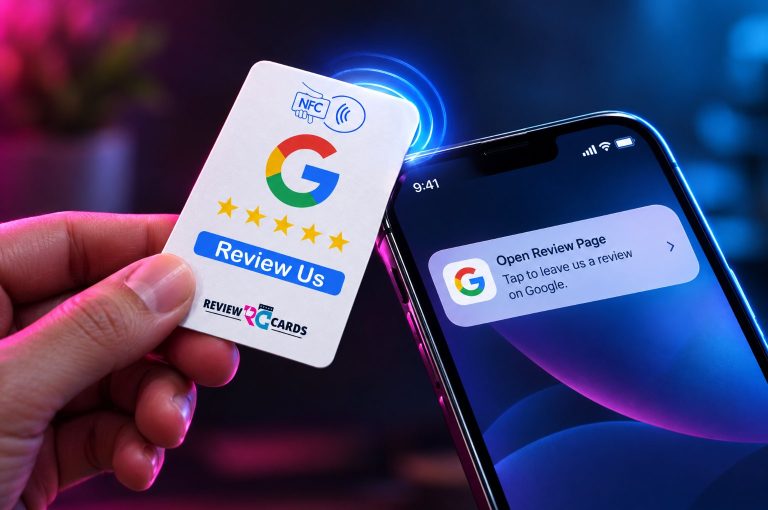
- Use tap to review cards, which simply share the same review link in a faster way.
- Reply to reviews, positive and negative, publicly and professionally.
- Report reviews that you believe break Google’s policies.
What Google does not allow
These are the rules that catch businesses out most often. Each one comes from Google’s fake engagement and rating manipulation policies.
1. Incentives
Offering payment, discounts, free goods or services, or anything else in exchange for posting a review, changing one or removing a negative one.
2. Review gating
Selectively asking only happy customers for reviews, or discouraging or preventing negative reviews.
3. Pressure on the premises
Requiring or pressuring customers to leave a rating or write a review while they are at your business.
4. Scripted reviews
Asking customers to include specific content in their review, including mentioning a member of staff by name.
5. Staff review targets
Asking staff to collect a set number of reviews, or reviews that contain particular content.
6. Conflicts of interest
Reviews from current or former employees, contractors, family members or competitors, or reviewing your own business.
7. Fake reviews
Reviews not based on a real experience, paid for reviews, posting from several accounts, or attacking a competitor’s profile.
8. Unusual patterns
Unusual volumes or patterns of reviews that suggest an attempt to manipulate a rating, such as a sudden burst.

What reviewers cannot post
The same policy also limits what customers can write. Reviews can be removed if they contain:
- Personal information, such as someone’s private contact details or financial or medical information, posted without consent
- Harassment, threats or hate speech aimed at people or groups
- Offensive content, including unsubstantiated allegations of criminal or unethical behaviour
- Obscenity, profanity or sexually explicit material
- Off-topic content, such as general political or social commentary or personal rants unrelated to an experience
- Advertising, including links, phone numbers or email addresses in a review
- Unclear or repetitive content, such as random characters or the same review posted again and again
Importantly, Google allows reviews that describe a negative experience in a respectful way. A critical review is not against the rules just because you disagree with it.
What happens if you break the rules
Google says it may remove reviews that break its fake engagement policy and, where a business owner is responsible, place restrictions on the Business Profile. Examples Google gives include:
Reviews removed
Reviews that break the policy are taken down, including ones you may have worked hard to collect.
New reviews blocked
Your profile may be unable to receive new reviews or ratings for a set period of time.
Existing reviews hidden
Your existing reviews and rating may be unpublished for a set period of time.
Public warning
A warning may be shown on your profile telling customers that fake reviews were removed.
Google notifies business owners by email before applying a restriction, and you can submit an appeal if you believe a decision is wrong.
UK law applies too. Since April 2025, the Digital Markets, Competition and Consumers Act has made fake reviews and concealed incentivised reviews illegal in the UK, and the Competition and Markets Authority can now enforce consumer law directly, with fines of up to 10% of a business’s global turnover.
How to get more Google reviews the right way
Staying within the rules does not mean collecting fewer reviews. The most effective approach is also the most compliant one: make it easy, ask everyone and keep it consistent.
Ask everyone
Offer every customer the same invitation, at the same point in their visit or after every job.
Keep it optional
Make it clear they can review now or later. A relaxed request gets better results than pressure.
Make it easy
Share your review link, display your QR code or use a tap to review card.
Stay neutral
Ask for honest feedback. Never ask for five stars or suggest what to write.
Train your team
Make sure staff know the rules, and never set them review targets.
Reply to reviews
Thank people and respond calmly to criticism. It shows you value feedback.
For wording ideas, see our guide on how to ask for Google reviews without being pushy.
How to report a review that breaks the rules
If a review breaks Google’s policies, you can report it for removal. Google is clear that you should not report a review simply because you disagree with it, as it does not get involved in disputes between businesses and customers.
- Go to your Business Profile and select Read reviews.
- Next to the review, select Report.
- Choose the reason that applies, such as spam or profanity, and select Send report.
- Google typically takes several days to evaluate a report. You can check its status in the Reviews Management Tool and submit a one-time appeal if you disagree with the outcome.
Responding to negative reviews
If a review is negative but within the rules, the best response is a calm, public reply. Keep it short and polite, never share the reviewer’s personal information, acknowledge what went wrong, apologise where appropriate and offer to continue the conversation by phone or email. A thoughtful reply often reassures future customers more than the original review worries them.
Frequently asked questions
Am I allowed to ask customers for Google reviews?
Yes. Google encourages businesses to ask for reviews, as long as you ask for genuine feedback, do not offer anything in return and do not try to influence the rating or content.
Can I offer a discount or prize draw entry for a review?
No. Google treats any incentive, including discounts, free products, services or prize draws, as fake engagement. Reviews collected this way can be removed and your profile restricted.
Can I only ask customers who had a good experience?
No. Selectively asking happy customers is known as review gating and is not allowed. Ask every customer in the same way.
Can my staff, friends or family review my business?
No. Reviews from employees, former employees, family members, contractors or anyone else with a conflict of interest are not allowed.
Can I ask customers to mention a staff member by name?
No. Google’s policy says businesses should not request that specific content is included in a review, and gives naming a staff member as an example.
Can I get a negative review removed?
Only if it breaks Google’s policies, for example because it is fake, abusive, off-topic or contains personal information. A genuine but critical review will normally stay, so reply to it professionally instead.
Do NFC review cards break Google’s rules?
No. A review card simply shares your review link, which Google encourages. Use it within the rules by offering it to every customer, keeping it optional and never offering anything in return.
The bottom line
Google’s review policy comes down to one idea: every review should reflect a genuine, unbiased experience. Ask every customer, make it easy, keep it optional and never offer anything in return, and you will build a review profile that is both strong and safe.
Google Review NFC Cards
A simple, policy-friendly way to share your review link with every customer. Pay once and collect unlimited reviews.
- From £14.99
- No monthly fees
- Free worldwide shipping
- 100% money back guarantee